Top 3 Supermetrics Alternatives 2026
Managing scheduled marketing reporting and dashboard builds creates confusion and wasted effort without a reliable automation stack. Most options either gate pricing behind a sales call or restrict key integrations to higher subscription levels, blocking clear evaluation. This comparison covers reporting features, automation scope, and pricing so marketing teams can pick a platform that aligns with their reporting needs and budget.
Table of Contents
MetrBox

At a Glance
According to the company, a client engagement produced a 10% increase in eCommerce conversion rate within a month. MetrBox focuses on the full measurement stack from tracking setup through executive dashboards. The firm promises audits, custom integrations, and automation to make data reliable and usable for decision makers.
Core Features
MetrBox covers GA4 and Google Tag Manager implementation, cross-platform attribution, and conversion tracking, while building BI pipelines and dashboards. The service line also includes analytics audits to correct measurement errors and automation for scheduled reporting and AI-driven analysis. Custom integrations with ad platforms and CRMs tie tracking to revenue and operational systems.
Key Differentiator
The core difference is a single vendor handling measurement design, implementation, auditing, and automation with an emphasis on maintainability. That scope reduces the number of handoffs between tracking implementers and reporting teams. The approach aims to deliver systems that stay accurate after launch.
Pros
The team builds practical systems that are meant to be accurate from day one, then documents them so internal teams can maintain the work. MetrBox offers analytics audits that identify and fix tracking errors, which reduces tracking noise and false alarms in reports. The combination of BI reporting and automated workflows cuts manual reporting time and links marketing signals to business outcomes.
Cons
- No public pricing details are available, which may make budgeting harder for smaller teams.
Who It’s For
MetrBox fits marketing teams, business owners, and operations leaders who need reliable measurement and repeatable reporting. It suits organisations that want a vendor to own tracking, dashboards, and automation rather than stitch multiple contractors together. Smaller teams with only basic reporting needs may find the service scope larger than required.
Unique Value Proposition
Full measurement stack coverage including GA4 and Google Tag Manager removes vendor handoffs and shortens the path from tracking to executive dashboards. That single workflow reduces time spent reconciling inconsistent metrics across teams. For teams that value a single accountable owner for measurement, the workflow change improves clarity and reduces maintenance overhead.
Real World Use Case
A client engaged MetrBox for an analytics audit, GA4 and GTM optimisation, dashboard build, and automated weekly reporting. That engagement clarified conversion paths and exposed customer journey friction. The clearer data led the team to change a checkout flow and improve conversion velocity.
Pricing
MetrBox sells services rather than product subscriptions. Pricing is not listed publicly and appears to be customised per engagement. Requesting a proposal is the path to a firm estimate and statement of work.
Website: https://metrbox.com
Whatagraph
At a Glance
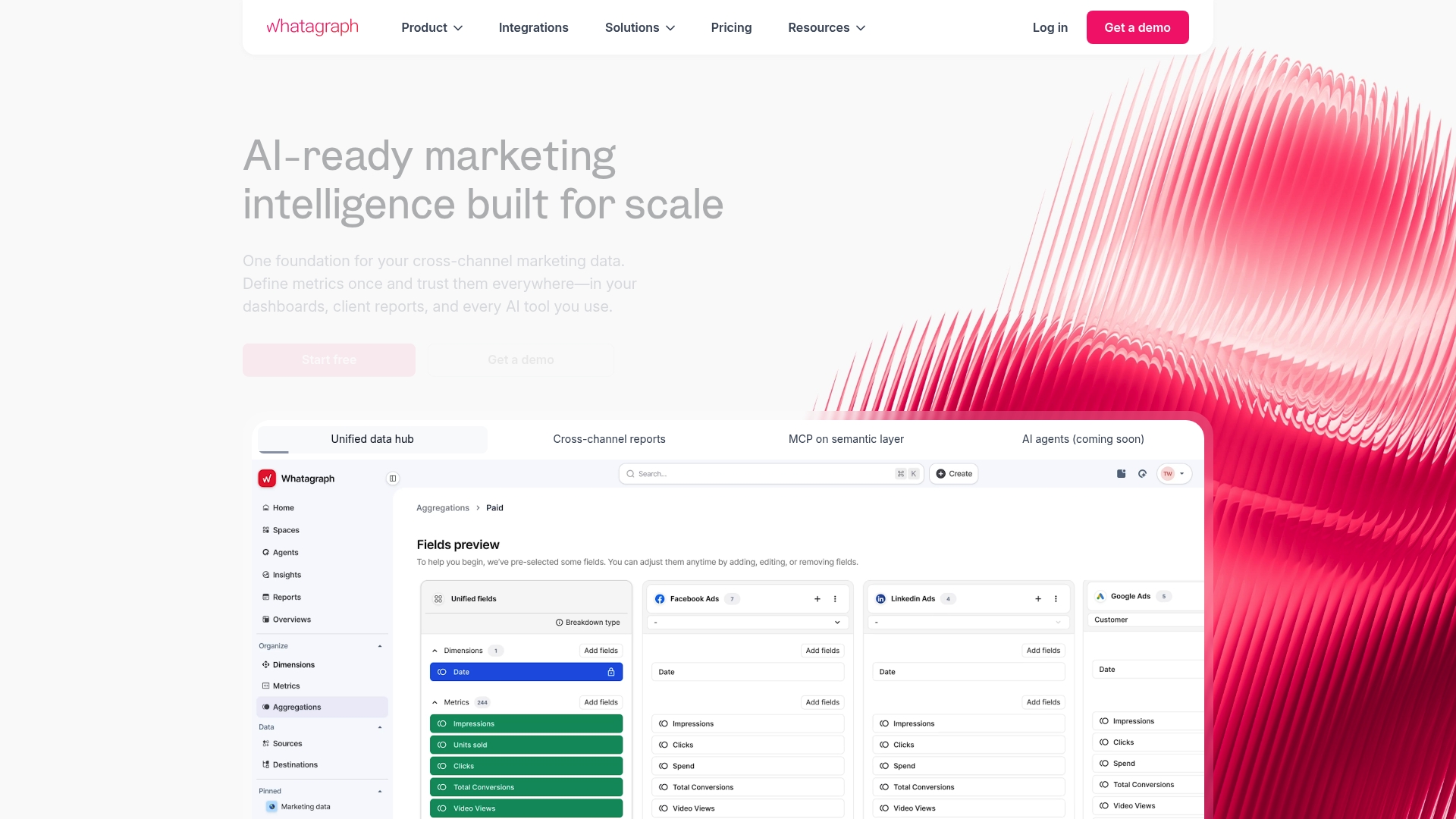
Whatagraph reports more than 1,000 marketing agencies and brands use the platform. That scale appears alongside a set of 50+ native data source integrations and pre made report templates that target marketing teams. As a pick among super metrics alternatives, it leans toward marketer-friendly automation and client-ready dashboards.
Core Features
Whatagraph offers pre made templates, a visual drag and drop report builder, automated report scheduling and white label branding for client delivery. It connects social media, advertising, analytics, CRM, and e commerce platforms through native integrations, and lets teams push scheduled reports by email or share live links. The interface is tuned for non technical marketers while keeping a path for analyst customisation.
Key Differentiator
Whatagraph’s marketing materials state its AI powered automation cleans data and generates instant insights without manual aggregation. That claim positions the product as a time saver for teams that want automated data preparation and summary metrics. The automation aims to reduce repetitive setup and speed report delivery for client work.
Pros
Easy source connections and ready made templates let teams produce client reports quickly. Stable native connectors reduce the need for manual exports, and scheduled delivery keeps clients informed without repeated work. The visual interface suits non technical team members while white label options simplify agency branding. Strong customer support is listed as a common user benefit, which helps when integrations require troubleshooting.
Cons
- Advanced custom reports can still require analyst skills. This limits purely self service use for complex data modelling.
- Pricing details are not specified in the available materials. Budget fit must be confirmed with sales.
- Heavy dependence on third party APIs means outages or breaking API changes may affect reports. Ongoing monitoring and support are necessary.
- Third party reviews highlight that some workflows need continuous support to avoid reporting errors.
When It May Not Fit
If your team needs full SQL modelling or complex ETL flows, Whatagraph may feel limiting without analyst involvement. If transparent, tiered pricing is required before evaluation, the lack of published tiers becomes a blocker. Organisations that cannot tolerate occasional connector downtime should treat reliance on external APIs as a risk.
Notable Integrations
- Google Sheets
- BigQuery
- Facebook Ads, Facebook Pages, Facebook Lead Ads
- Google Ads, Google Analytics, Google Display & Video 360
- HubSpot, Salesforce, Piwik Pro
- ActiveCampaign, Mailchimp, Klaviyo
- Shopify, WooCommerce, BigCommerce
- AdForm, Criteo, TikTok Ads
Who It’s For
Agencies and in house marketing teams that need faster client reporting will get the most value. Digital marketing professionals who prefer a visual builder and scheduled delivery fit the product well. Teams that require minimal developer involvement but accept some analyst support for complex reports will find a reasonable compromise.
Real World Use Case
An agency connects client ad accounts, social channels, and a CRM to Whatagraph, then builds a branded weekly performance report. Automated scheduling sends the report each Monday to clients and stakeholders. The agency regains time previously spent on manual exports and spends more time on campaign strategy.
Pricing
Not applicable — informational only. Pricing tiers or starting figures are not listed in the supplied information. Prospective buyers should request current plans and seat or connector pricing from Whatagraph sales.
Website: https://whatagraph.com
Dataslayer
At a Glance
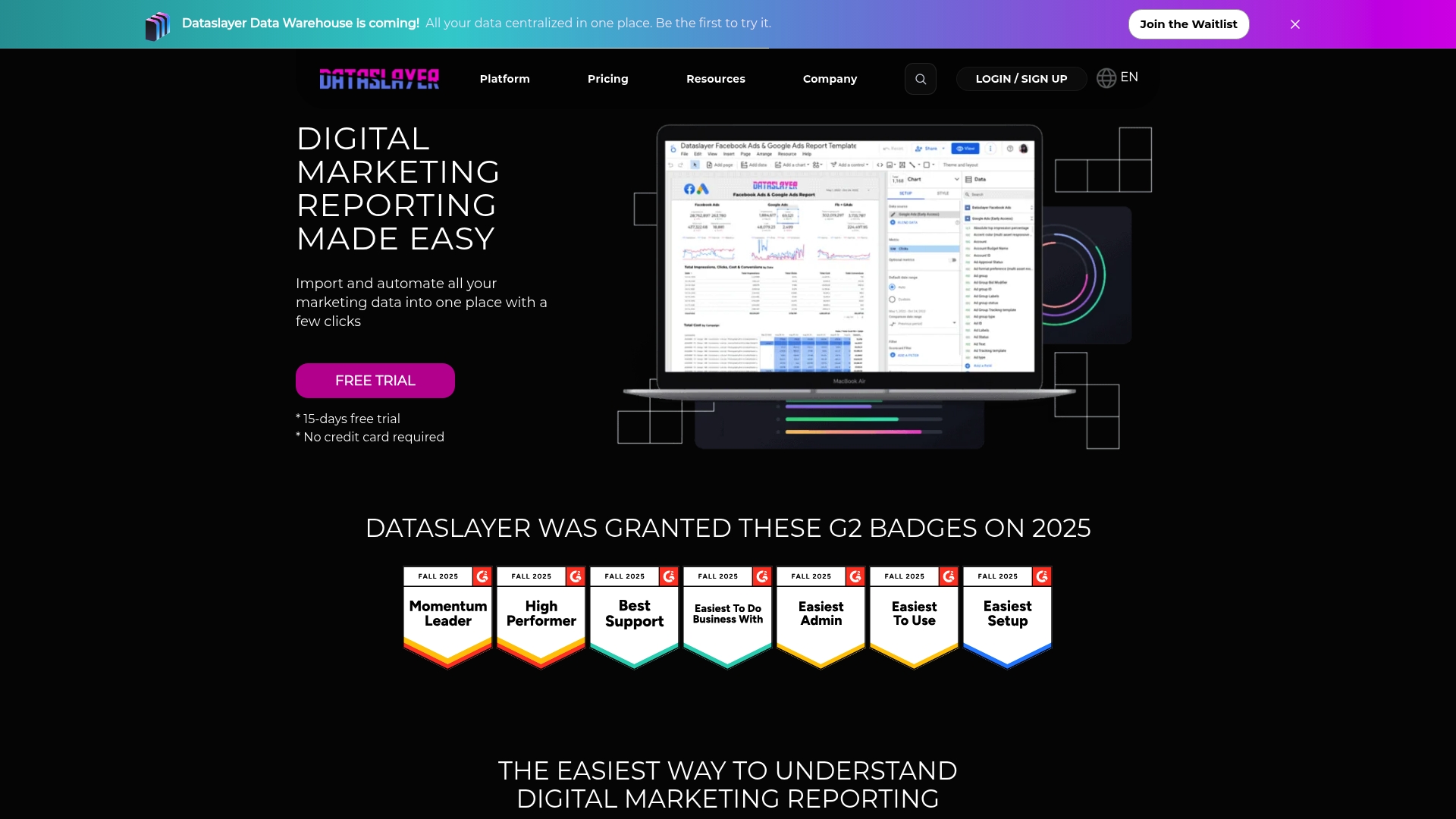
Dataslayer’s marketing materials state it is certified ISO 27001. The product also publishes a free plan, plus paid tiers starting at €29 per month, and it offers add-ons for connectors and extra rows. That mix makes it straightforward to test before committing to a larger plan.
Core Features
Dataslayer connects common marketing sources such as Google Ads, Analytics, Facebook, and Microsoft Advertising and sends that data to destinations like Google Sheets, Data Studio, BigQuery, Power BI, and Snowflake. The tool includes scheduled report automation, AI insights, data blending, and a marketing mix modelling feature that helps combine multiple channels into single reports. Plans scale from individual use through enterprise, with add-ons for extra connectors, accounts, and rows.
Key Differentiator
Dataslayer pairs a wide selection of marketing connectors with multiple enterprise-ready destinations and built-in AI insights. That combination makes it easier to move raw campaign data into familiar reporting tools while adding automated analysis inside the same workflow.
Pros
Dataslayer includes a free plan that lets you validate connectors and basic automation without upfront cost. The destination options cover spreadsheets, BI tools, and cloud warehouses, so you can pick the output that matches your reporting stack. Scheduling and automation reduce manual exports and let teams focus on interpretation. The vendor reports ISO 27001 certification, which signals a formal approach to security for teams handling client data. Dedicated support and custom enterprise options are available for larger setups.
Cons
- Website content focuses on privacy and cookie information, and specific product limitations are not detailed publicly.
- Third-party reviews were not present in the input, so independent assessments of reliability and performance are limited.
- Very large or highly customised integrations may require a custom enterprise plan, which adds procurement overhead.
When It May Not Fit
If you need public, third-party performance benchmarks or community-driven reviews before buying, Dataslayer may not meet that requirement. Teams that require highly bespoke connector builds should plan for an enterprise engagement rather than relying on out-of-the-box tiers.
Who It’s For
Marketing teams, digital agencies, and enterprises that need scalable automation to collect campaign metrics into spreadsheets, BI tools, or cloud warehouses. The offering suits groups that prefer testing a free tier before committing to paid plans.
Real World Use Case
A digital marketing agency uses Dataslayer to aggregate Google Ads, Facebook, and LinkedIn performance into Google Sheets on a weekly schedule. Automation removes manual copying, and the AI insights flag underperforming campaigns for the account manager to review.
Pricing
Dataslayer offers a Free plan and paid tiers listed as Starter (€29/mo), Advanced (€99/mo), Pro (€299/mo), and a Business level with custom pricing. Add-ons are available for additional connectors, accounts, and row capacity.
Website: https://dataslayer.ai
Comparison of alternatives
Deciding on the most suitable marketing analytics solution involves evaluating workflow integration and customization capabilities among these options.
Workflow centralization and automation
MetrBox excels in providing an end-to-end solution, integrating analytics operations from tracking implementation to automated reporting. This streamlined approach reduces the complexities of managing multiple service providers and ensures consistent reporting standards. In comparison, Whatagraph’s template-based system facilitates quick marketing report generation, specifically useful for smaller projects but lacks the granularity MetrBox offers through its design capacities. Dataslayer lies between efficiency and ease of use with its ability to export data to multiple platforms but requires greater customization efforts for more detailed needs.
Accessibility and user interaction
When judged by user accessibility, Dataslayer’s provision of a free tier, alongside scaled subscription plans, allows users to explore features at their own pace, which undeniably benefits teams operating under constrained budgets. Whatagraph stands out in delivering functionalities suited to user-friendly client reporting with pre-designed templates. Conversely, MetrBox operates on customised engagements, benefitting organisations that prioritise bespoke analytics over straightforward templates.
Best fit
- Teams requiring centralized analytics management across implementation, reporting, and automation benefit most from MetrBox.
- Marketing agencies focused on client-oriented reporting processes and timely updates may find Whatagraph.
- Budgets constrained by entry-level scaling needs can explore Dataslayer’s free and tiered paid plans.
Our pick
MetrBox stands out for its integrated solutions tailored to organisations requiring extensive analytics precision spanning implementation to reporting. For teams that value a unified and deeply customizable approach, MetrBox offers advantages. Organisations prioritising fixed workflows or experimenting with analytics might consider other alternatives first.
Reliable measurement and automated reporting are vital for businesses seeking actionable insights from their data. Below is a comparison of options for marketing reporting software.
| Product | Core Features | Key Differentiator | Best For | Pricing | Notable Limitation |
|---|---|---|---|---|---|
| Metrbox | Full measurement stack, GA4 implementation, dashboards | Single vendor scope aligning implementation to reporting | Teams seeking a full measurement partner | Price not published | Service scope may be larger than needed for teams with basic needs |
| Whatagraph | 50+ integrations, report automation, customisable templates | Marketer-friendly automation and client-ready dashboards | Agencies needing client reporting | Price not published | Analyst support required for complex reports |
| Dataslayer | Data automation to spreadsheets and BI tools, free plan | Mix of connectors and enterprise-ready destinations | Teams starting on free plans | €29–€299/month | Lacks publicly available third-party performance benchmarks |
Struggling to Find Reliable Supermetrics Alternatives for Your Marketing Analytics?
Metrbox offers marketing teams, business owners, and operations leaders a practical solution that covers the full measurement stack. Unlike piecing together multiple contractors, Metrbox manages tracking design, implementation, auditing, and automation in one place. This approach reduces tracking noise and ensures accurate data flows through custom dashboards, making your decision-making clearer and less time consuming.
Key benefits include:
- Reliable GA4 and Google Tag Manager setup
- Custom dashboards that link marketing signals to revenue
- Automated reporting that saves hours every week
If you need a system designed to measure better and report smarter, visit Metrbox to see how their full service reporting can provide clarity and reduce maintenance efforts.
FAQ
What features does Metrbox offer for marketing reporting?
Metrbox provides a full measurement stack that includes GA4 and Google Tag Manager implementation, cross-platform attribution, and conversion tracking. This enables marketing teams to track performance accurately from setup through to executive dashboards. Expect reliable data and automation to streamline reporting processes.
How does Metrbox compare to Whatagraph in terms of user interface?
Whatagraph features a visual drag-and-drop report builder that is designed for non-technical marketers, making it user-friendly. While Whatagraph excels at quickly producing client-ready reports, Metrbox aims to provide a more comprehensive solution that includes measurement design and automation. This makes Metrbox a better fit for teams needing thorough tracking and long-term maintainability.
Can Metrbox automate report generation and delivery?
Yes, Metrbox offers automated workflows for scheduled reporting and AI-driven analysis. This capability reduces manual reporting time and allows teams to focus on interpreting the data instead of compiling it. Users can expect regular updates without needing repetitive manual input.
What should smaller marketing teams consider when choosing between Metrbox and Dataslayer?
Smaller teams may find Dataslayer’s free plan appealing for testing before commitment, while Metrbox does not list a free tier. Metrbox’s comprehensive scope may feel larger than their basic reporting needs, potentially making it less suitable for teams with limited requirements.
Does Metrbox integrate with CRM systems?
Metrbox supports custom integrations with ad platforms and CRMs, allowing teams to tie tracking data directly to revenue and operational systems. This integration enhances the usability of data across different platforms and improves decision-making capabilities.
Recommended

How to track AI referral traffic in GA4 with Google Tag Manager
AI traffic is messy. Someone can ask ChatGPT, Perplexity, Gemini, Claude, Copilot, or another AI too
Google Analytics 4 (GA4) Audit Checklist
Struggling to verify if your Google Analytics 4 is configured correctly? You’re not alone. Mos

BI reporting software: a practical guide for 2026
Discover how BI reporting software can transform data into decisions. Learn key features and make in